
🇬🇧 English
🇫🇷 Français
🇩🇪 Deutsch
🇪🇸 Español
🇮🇹 Italiano
🇳🇱 Nederlands
🇸🇪 Svenska
🇵🇹 Português
🇵🇱 Polski
🇩🇰 Dansk
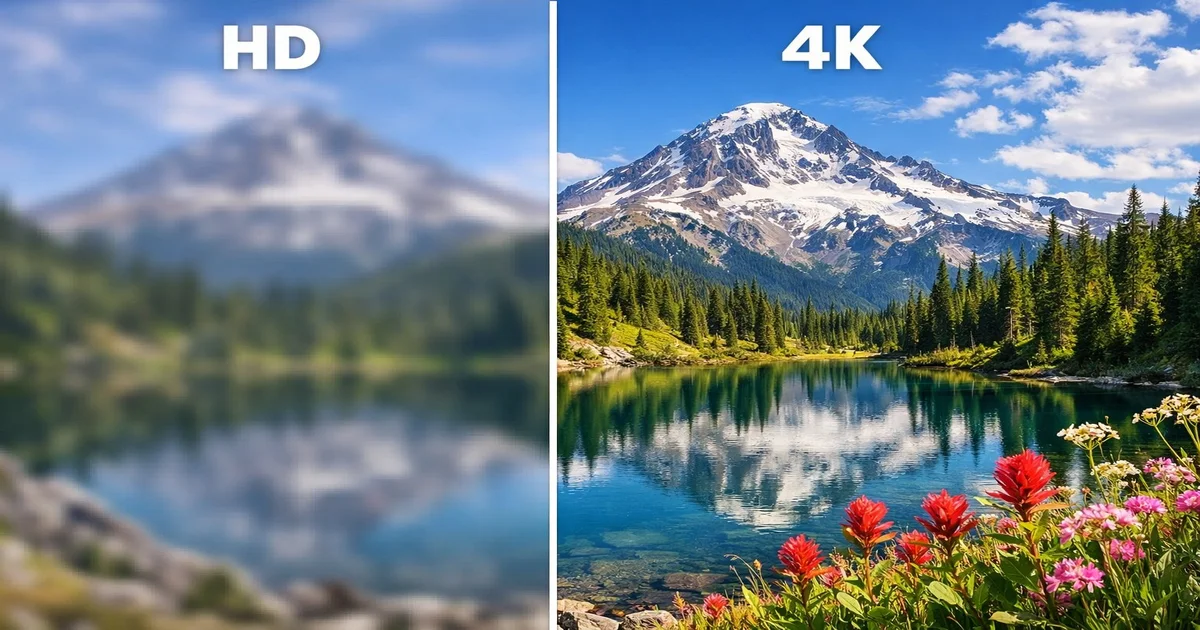
When choosing an IPTV service, one of the most important decisions you will make is selecting the right video quality. The four main resolution tiers available today are SD (Standard Definition), HD (High Definition), FHD (Full High Definition), and 4K (Ultra High Definition). Each tier offers a different viewing experience, and the best choice depends on your equipment, internet speed, and personal preferences.
SD resolution (480p) delivers 720×480 pixels and was the standard for decades. While it looks acceptable on small screens like smartphones, it appears noticeably blurry on modern televisions. HD resolution (720p) provides 1280×720 pixels and represents a significant upgrade — text is sharper, colours are more vivid, and the overall image is cleaner. Most IPTV channels are broadcast in at least HD quality today.
FHD (1080p) delivers 1920×1080 pixels, which is currently the sweet spot for most viewers. The image is crisp and detailed on screens up to 55 inches without requiring extreme bandwidth. 4K resolution (2160p) quadruples the pixel count to 3840×2160, offering incredibly detailed images where individual pixels are invisible even on 65-inch or larger screens.
| Resolution | Pixels | Best Screen Size | Min Bandwidth |
|---|---|---|---|
| SD (480p) | 720 × 480 | Up to 32" | 3 Mbps |
| HD (720p) | 1280 × 720 | 32" – 43" | 5 Mbps |
| FHD (1080p) | 1920 × 1080 | 43" – 55" | 10 Mbps |
| 4K (2160p) | 3840 × 2160 | 55" and above | 25 Mbps |
Bandwidth is the single most critical factor when deciding between HD and 4K IPTV. Without sufficient internet speed, even the best 4K stream will buffer constantly and ruin your viewing experience. Understanding the real-world bandwidth requirements for each resolution tier will help you make an informed decision.
For SD content, you need a minimum of 3 Mbps, though 5 Mbps is recommended for a buffer-free experience. HD (720p) streams require 5-8 Mbps minimum, with 10 Mbps recommended. FHD (1080p) needs 10-15 Mbps minimum, with 20 Mbps recommended to account for network fluctuations. 4K streams are the most demanding, requiring 25 Mbps minimum with 50 Mbps recommended for consistent quality.
These figures assume a single stream. If multiple devices in your household are streaming simultaneously, you need to multiply accordingly. A family of four with two 4K streams and two HD streams would need at least 70 Mbps of dedicated bandwidth. Always test your actual speed at different times of day, as evening peak hours often reduce available bandwidth by 20-40%.
💡 Pro Tip: Run a speed test at speedtest.net during peak hours (7-10 PM) to get a realistic picture of your available bandwidth. Your ISP's advertised speed is the maximum, not the guaranteed speed. If your peak-hour speed is below 25 Mbps, stick with FHD rather than attempting 4K.
Your connection method significantly impacts streaming quality. A wired Ethernet connection delivers your full internet speed directly to the device with minimal latency. Wi-Fi connections, especially on the 2.4 GHz band, can lose 30-50% of available bandwidth due to interference, distance from the router, and congestion from other devices. For 4K streaming, a wired connection is strongly recommended. If wireless is your only option, use the 5 GHz band and ensure the streaming device is within 5 metres of the router.
The video codec used by your IPTV provider plays a crucial role in streaming quality and bandwidth consumption. The two dominant codecs today are H.264 (AVC) and H.265 (HEVC). Understanding the difference between them can help you make better choices about your streaming setup.
H.264 has been the industry standard for over a decade. It offers excellent compatibility — virtually every device manufactured since 2010 can decode H.264 streams without issues. However, H.264 requires more bandwidth to deliver the same visual quality compared to its successor. A typical 1080p H.264 stream needs 8-12 Mbps for good quality.
H.265 (HEVC) is the newer codec that delivers the same visual quality at roughly 40-50% less bandwidth. A 1080p H.265 stream only needs 4-6 Mbps for equivalent quality, and a 4K H.265 stream requires 15-20 Mbps compared to 30-40 Mbps for H.264. This dramatic bandwidth savings makes H.265 essential for 4K streaming.
| Feature | H.264 (AVC) | H.265 (HEVC) |
|---|---|---|
| Bandwidth for 1080p | 8-12 Mbps | 4-6 Mbps |
| Bandwidth for 4K | 30-40 Mbps | 15-20 Mbps |
| Device Compatibility | Universal | 2016+ devices |
| CPU Usage | Lower | Higher |
| Quality at Same Bitrate | Good | Excellent |
💡 Pro Tip: Check whether your IPTV provider offers H.265 streams by looking at the stream information in your IPTV player. In IPTV Smarters Pro, you can view codec details during playback. If your provider supports H.265, enable it in your player settings for significantly better quality at lower bandwidth.
Not all devices can handle 4K IPTV streams. To enjoy genuine 4K quality, your device must support both 4K output and the H.265 codec for efficient decoding. Here is a comprehensive list of devices that fully support 4K IPTV streaming.
The Amazon Fire TV Stick 4K Max is one of the best options for 4K IPTV. It supports H.265 hardware decoding, Wi-Fi 6, and outputs at full 4K 60fps. The NVIDIA Shield TV Pro is the premium choice, offering the most powerful processor, Gigabit Ethernet, and support for every major codec including H.265 and AV1. The Xiaomi Mi Box S 4K and Google Chromecast with Google TV 4K also deliver excellent 4K performance at more affordable prices.
Most smart TVs manufactured from 2018 onwards support 4K playback with H.265 decoding. Samsung QLED and Neo QLED models, LG OLED and NanoCell TVs, Sony Bravia XR series, and TCL QLED models all support 4K IPTV natively through their built-in IPTV apps or through external players like IPTV Smarters Pro.
For dedicated IPTV setups, the MAG 524w3 is the current flagship model with full 4K support, HEVC decoding, and dual-band Wi-Fi. The older MAG 322 and MAG 420 models are limited to 1080p. If you are using a MAG box and want 4K, you will need to upgrade to the 5xx series.
Despite the appeal of 4K, there are many situations where HD or FHD is actually the better choice. Making the right decision can save you money and provide a smoother, more reliable viewing experience.
If your television is 43 inches or smaller, 4K provides minimal visible improvement over FHD at normal viewing distances. The human eye cannot distinguish individual pixels on a 43-inch screen at a distance of 2 metres whether it is displaying 1080p or 2160p content. In this case, FHD streams will look virtually identical while consuming 60% less bandwidth.
If your internet connection is below 25 Mbps during peak hours, 4K streaming will result in frequent buffering that destroys the viewing experience. A smooth, buffer-free FHD stream is always preferable to a stuttering 4K stream. Similarly, if multiple people in your household stream simultaneously, staying with FHD ensures everyone gets a reliable experience.
For fast-moving sports content, the frame rate matters more than resolution. A 1080p stream at 60 frames per second looks significantly better for football, basketball, and hockey than a 4K stream at 30 fps. The motion blur on a 30fps 4K stream makes fast-paced sports look worse than a smooth 60fps 1080p stream. Check whether your provider offers 1080p60 sports channels before opting for 4K alternatives.
The resolution you choose does not only affect your viewing experience — it also impacts your IPTV provider's server infrastructure. Understanding this relationship helps explain why some providers charge more for 4K plans and why quality can vary during peak hours.
A single SD stream consumes approximately 1.5 GB per hour of data. An HD stream uses about 3 GB per hour, FHD about 5 GB per hour, and 4K consumes 7-10 GB per hour. When thousands of users are streaming simultaneously, the difference in server load between HD and 4K is enormous. During major sporting events, this can strain even well-provisioned server infrastructure.
Premium IPTV providers like IPTV SmartHD invest in dedicated 4K servers with 10 Gbps uplinks to ensure smooth delivery even during peak demand. Budget providers often share servers between all resolution tiers, resulting in degraded quality when demand spikes. When choosing a provider, ask specifically about their 4K infrastructure — dedicated 4K servers are a strong indicator of quality.
💡 Pro Tip: If you experience quality drops during peak viewing hours (weekday evenings, weekend match times), try switching from 4K to FHD temporarily. This reduces server load and often results in a smoother experience. Most IPTV players allow you to switch resolution on the fly without restarting the stream.
Choosing between HD and 4K IPTV comes down to three factors: your screen size, your internet speed, and your budget. Here is a simple decision framework to help you choose.
Choose 4K if: your TV is 55 inches or larger, your internet speed consistently exceeds 50 Mbps, your streaming device supports H.265 hardware decoding, and you primarily watch cinematic content like movies and documentaries where visual detail matters most.
Choose FHD (1080p) if: your TV is between 43 and 55 inches, your internet speed is 15-50 Mbps, you watch a mix of live TV and sports content, and you want the best balance of quality and reliability. FHD is the sweet spot for the vast majority of IPTV viewers.
Choose HD (720p) if: you primarily watch on smartphones or tablets, your internet speed is below 15 Mbps, you stream on multiple devices simultaneously, or you want to minimise data usage on a metered connection.
Even if you choose HD or FHD today, consider investing in 4K-capable hardware. As internet speeds continue to increase and more IPTV providers expand their 4K content libraries, having the right hardware ensures a seamless upgrade path. The cost difference between an FHD and 4K streaming device is minimal, while upgrading later would require replacing the entire device.
4K IPTV is worth it if you have a large screen (55" or above), fast internet (50+ Mbps), and a compatible device. If any of these conditions is not met, FHD provides an excellent viewing experience at lower bandwidth requirements and often at a lower subscription cost.
Most IPTV providers including IPTV SmartHD offer multiple quality options within the same subscription. You can watch 4K on your main TV and HD on your phone simultaneously. The quality is usually selected automatically based on your device capabilities and connection speed.
Yes, significantly more. A 4K stream uses approximately 7-10 GB per hour compared to 3 GB per hour for HD and 5 GB per hour for FHD. Over a month of heavy viewing (4 hours per day), 4K could consume over 900 GB compared to 360 GB for HD. Check your ISP's data cap if applicable.
The most common cause is insufficient bandwidth. 4K requires at least 25 Mbps of consistent speed. Other causes include Wi-Fi interference (use Ethernet), server congestion during peak hours, and devices that lack hardware H.265 decoding. Try switching to FHD to confirm whether the issue is bandwidth-related.
No, 4K content availability varies by provider and channel. Currently, premium sports events, major film channels, and nature documentaries are the most common 4K offerings. Most news channels and general entertainment channels still broadcast in HD or FHD. Your IPTV provider's channel list will indicate which channels support 4K.
Instant access to 30,000+ channels in 4K. Free 24h trial — no credit card required.
Start Your Free Trial Now