
🇬🇧 English
🇫🇷 Français
🇩🇪 Deutsch
🇪🇸 Español
🇮🇹 Italiano
🇳🇱 Nederlands
🇸🇪 Svenska
🇵🇹 Português
🇵🇱 Polski
🇩🇰 Dansk
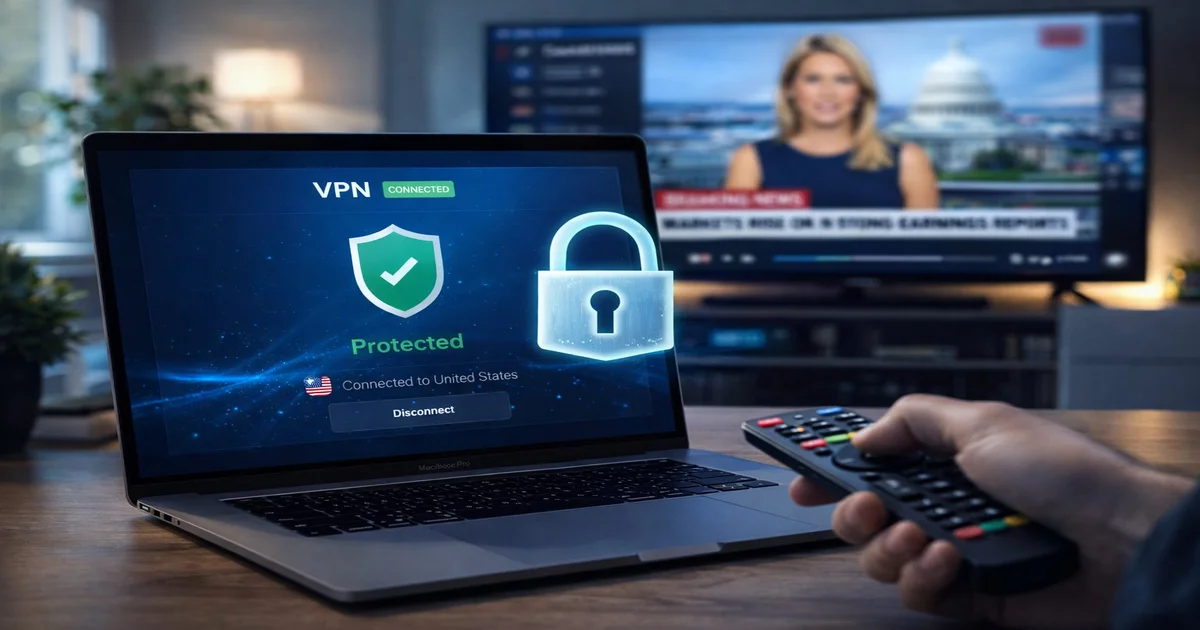
In 2026, using a VPN alongside your IPTV service is no longer just a privacy enthusiast's choice — it has become a practical necessity for millions of streamers worldwide. Internet Service Providers have grown increasingly sophisticated in detecting and throttling IPTV traffic, and geo-restrictions continue to limit access to premium content across borders. A well-chosen VPN solves all of these problems simultaneously, acting as an encrypted tunnel that shields your streaming data from prying eyes and artificial slowdowns.
This complete setup guide covers everything you need to know: why a VPN matters for IPTV, which VPN services deliver the best performance in 2026, and step-by-step instructions for every major device — from Android TV and Samsung Smart TVs to Amazon Fire TV Stick, Windows PCs, and home routers. Whether you're a first-time user or looking to optimize your existing setup, this guide has you covered.
We'll also explain how IPTV SmartHD integrates seamlessly with all major VPN services and why our platform offers one of the most VPN-friendly IPTV experiences available today. Let's dive in.
Every time you stream IPTV content, your Internet Service Provider can see exactly what you're doing. Without a VPN, your ISP logs the websites you visit, the services you connect to, and how much data you consume doing it. In many countries, ISPs are legally required to store this metadata for months or even years and may share it with government agencies or third parties. A VPN encrypts all of your traffic at the device level, making it appear as a stream of unreadable data to your ISP. They can see that you're transferring data, but they cannot determine that you're watching IPTV, which channels you're watching, or for how long.
ISP throttling is one of the most common and frustrating causes of IPTV buffering in 2026. Many major ISPs — including those in the UK, US, France, Germany, and Spain — use Deep Packet Inspection (DPI) technology to identify streaming traffic and intentionally slow it down during peak hours. For example, a user with a 200 Mbps connection may experience IPTV streams dropping to effective speeds of 15–20 Mbps during evenings, causing constant buffering and pixelated video. When you connect through a VPN, your streaming data is encrypted, making DPI analysis impossible. Your ISP simply sees encrypted traffic and cannot selectively throttle your IPTV streams. Users consistently report improvements of 40–60% in effective streaming speed after enabling a VPN on throttled connections.
Many IPTV channels and streaming platforms restrict their content based on your geographic location. A user in Germany may find that certain UK sports channels or US news networks are blocked for their region, even if their IPTV provider technically carries those channels. A VPN solves this by allowing you to connect to a server in the appropriate country, masking your real IP address with one from that region. For instance, connecting to a UK VPN server makes all services believe you are physically located in the United Kingdom, granting access to UK-exclusive content. This works for sports blackouts, regional news, and country-specific entertainment libraries.
If you ever watch IPTV on a public WiFi network — in a hotel, café, airport, or any shared network — you are exposing your streaming activity and potentially your IPTV credentials to anyone on that network. Public WiFi hotspots are notoriously insecure, and attackers can use simple tools to intercept unencrypted traffic. A VPN creates an encrypted tunnel between your device and the VPN server, ensuring that even on an unsecured network, your data remains private and protected. This is especially important if you use your IPTV credentials (username/password or M3U URL) on multiple devices or travel frequently.
Not all VPNs are created equal when it comes to IPTV performance. The key factors to consider are server count and locations, connection speed, support for modern protocols like WireGuard, smart TV app availability, and whether the provider maintains a strict no-logs policy. Here is our comparison of the top five VPNs tested specifically for IPTV use in 2026:
| VPN | Servers | Speed | Price/mo | No-Log Policy | Smart TV App | Best For |
|---|---|---|---|---|---|---|
| NordVPN | 6,500+ | Fast | ~€3.50 | Yes | Yes | All-round best |
| ExpressVPN | 3,000+ | Fastest | ~€8.00 | Yes | Yes | Speed priority |
| Surfshark | 3,200+ | Fast | ~€2.50 | Yes | Yes | Budget pick |
| CyberGhost | 9,700+ | Good | ~€2.00 | Yes | Limited | Beginners |
| IPVanish | 2,000+ | Good | ~€3.50 | Yes | Fire TV | Amazon users |
When choosing a VPN for IPTV, prioritize server coverage in the countries whose content you want to access, and always verify that the provider supports WireGuard or a similarly fast modern protocol. NordVPN stands out for its combination of speed, server density, and native apps for virtually every device. ExpressVPN edges ahead on raw speed if you have a very fast base connection and budget is less of a concern. Surfshark is unbeatable value, especially since it allows unlimited simultaneous connections — ideal for households with multiple devices.
Free VPNs are tempting but deeply problematic for IPTV use. Most impose strict data caps (often just 500 MB to 2 GB per month), which is exhausted in under an hour of HD streaming. Their server pools are tiny and massively overcrowded, resulting in slow speeds that make HD streaming impossible. Free VPN providers rarely maintain no-logs policies — in many documented cases they have sold user browsing data to advertisers or handed it to authorities. They also typically cannot unblock geo-restricted content, defeating one of the primary reasons to use a VPN with IPTV. Always invest in a paid VPN if you're serious about your streaming experience.

Android TV is the most VPN-friendly Smart TV platform because it supports native VPN app installations directly from the Google Play Store. Open the Play Store on your Android TV, search for your chosen VPN (NordVPN, ExpressVPN, or Surfshark all have dedicated Android TV apps), and install it. Once installed, open the VPN app, sign in with your account credentials, and select a server in your desired country. Tap the connect button and wait for the connection to establish — typically 3–5 seconds with WireGuard. Your TV's entire internet traffic will now be routed through the VPN. Open your IPTV app and stream as usual.
Samsung Smart TVs running Tizen OS do not support native VPN app installation. Tizen's closed ecosystem does not allow VPN clients from the app store. The recommended solution is to set up the VPN at the router level (covered in section 5), which protects all devices on your home network simultaneously without requiring any configuration on the TV itself. An alternative is to use Samsung's SmartThings app to share a VPN-protected connection from your smartphone or PC, though router-level VPN remains the cleanest and most reliable approach.
LG webOS TVs face the same limitation as Samsung — no native VPN app support in the LG Content Store. The same router-level VPN solution applies. If you cannot modify your router's firmware, another option is to connect your LG TV through a travel router that has a VPN client preconfigured. Brands like GL.iNet make compact travel routers specifically designed for this use case, allowing you to protect any device that connects to them regardless of that device's native VPN support.
The Amazon Fire TV Stick is one of the most popular IPTV devices worldwide, and fortunately major VPN providers offer dedicated Fire TV apps that make setup straightforward. Here is the complete step-by-step process:
Server location matters enormously for IPTV content. Connecting to a server too geographically distant from your actual location (e.g., using a US server to stream European content) can introduce additional latency. Always choose the VPN server closest to the content's origin country while remaining in the correct region for access rights.
Installing your VPN directly on your home router is the gold standard for IPTV users. It protects every device connected to your network simultaneously — including MAG boxes, Formuler Z8 Pro, Smart TVs, game consoles, smartphones, and laptops — without requiring individual VPN app installations. Your IPTV streams are encrypted from the moment they enter your home network.
Compatible router brands include Asus (most models with AsusWRT firmware), Netgear Nighthawk series, and any router running DD-WRT or OpenWRT custom firmware. Budget-friendly options like GL.iNet routers come with VPN client support pre-installed and are an excellent choice for users who don't want to reflash their existing router.
Step-by-step for Asus routers (AsusWRT): Navigate to your router's admin panel (typically 192.168.1.1). Go to Advanced Settings → VPN → VPN Client. Click Add Profile. Select the protocol — choose WireGuard if available, otherwise OpenVPN. Download the configuration file (.ovpn or .conf) from your VPN provider's website for your chosen server location. Click Import and select the downloaded file. Click Activate to connect. All devices on your network are now protected.
This is the most common concern about using a VPN for IPTV, and the answer is: it depends heavily on which VPN and protocol you use. Modern VPNs using WireGuard protocol introduce minimal speed overhead — typically 7–12% — which is completely imperceptible for IPTV streaming. Legacy OpenVPN protocol, by contrast, can reduce speeds by 40–60% due to its higher computational overhead.
| Scenario | Speed Impact | Best Protocol | Good for IPTV |
|---|---|---|---|
| No VPN | 0% | N/A | Baseline |
| NordVPN WireGuard | ~8–10% | WireGuard | Yes |
| ExpressVPN Lightway | ~10–12% | Lightway | Yes |
| Surfshark WireGuard | ~7–9% | WireGuard | Yes |
| Generic OpenVPN | 40–60% | OpenVPN | No |
WireGuard is the undisputed best protocol for IPTV use. It was designed from the ground up to be lean and fast, using modern cryptography that requires far less computational power than OpenVPN's older cipher suites. On a modern router or streaming device, WireGuard encryption happens almost instantaneously with virtually no throughput penalty.
Always connect to the VPN server geographically closest to your actual location when the goal is simply to bypass throttling (rather than access geo-restricted content). A nearby server minimizes added latency. Additionally, always use UDP rather than TCP for your VPN connection — UDP is connectionless and much faster for streaming applications where some packet loss is acceptable and low latency is prioritized.
IPTV SmartHD is fully compatible with all major VPN services and has been optimized to work seamlessly whether you connect with or without a VPN. Our infrastructure operates across redundant servers in multiple countries, delivering 99.9% uptime to all subscribers. With over 30,000 channels covering live TV, sports, news, and entertainment from across the globe, IPTV SmartHD gives you access to content that others simply cannot match.
Unlike some IPTV providers that block VPN connections or throttle VPN users, IPTV SmartHD places no restrictions on your connection method. Whether you stream directly or through NordVPN, ExpressVPN, Surfshark, or any other service, your streams will perform identically. Our servers do not impose geo-restrictions on your viewing — you access our full channel library regardless of your physical location. If you're using a VPN for privacy or to bypass ISP throttling, you'll find that IPTV SmartHD works perfectly with your setup right out of the box.
For the best experience with IPTV SmartHD through a VPN, we recommend connecting to VPN servers located in France, Germany, or the UK for European content. For maximum streaming speed, always choose the VPN server nearest to your physical location when browsing our general channel library. Ready to experience the difference? Start your free trial with IPTV SmartHD today and enjoy 30,000+ channels with complete privacy protection.
No, IPTV SmartHD does not require a VPN. Our service works perfectly without one. However, a VPN can enhance your experience by preventing ISP throttling, protecting your privacy, and securing your connection on public WiFi. We recommend using a VPN if you notice buffering during peak hours or if you're concerned about your ISP monitoring your streaming activity.
A VPN will fix buffering caused by ISP throttling, which is one of the most common causes. If your ISP is deliberately slowing your IPTV traffic during peak hours, a VPN will encrypt your traffic and prevent the throttling, significantly improving stream quality. However, if buffering is caused by insufficient internet speed, server overload on the IPTV provider's side, or poor WiFi signal, a VPN will not help and may make things slightly worse due to added encryption overhead.
For general use and bypassing ISP throttling, always connect to the VPN server closest to your physical location — this minimizes added latency. For accessing geo-restricted content, connect to a server in the country where that content is available. For example, connect to a UK server for BBC-related content, a French server for TF1 streams, or a German server for ARD/ZDF. IPTV SmartHD has no geo-restrictions on our platform, so any server location works for our channels.
Your IPTV provider will see connections coming from your VPN server's IP address rather than your real IP address. Whether this matters depends on your provider's policies. IPTV SmartHD has no restrictions on VPN use and does not monitor or restrict connections based on IP origin. Some mainstream streaming platforms do attempt to block known VPN IP ranges, but premium VPNs like NordVPN and ExpressVPN continuously refresh their IP pools to stay ahead of such blocks.
Using a VPN is legal in most countries, including all EU member states, the UK, and the United States. A VPN is simply an encryption tool that protects your privacy — it is the same technology used by businesses worldwide to secure remote work connections. The legality of your IPTV service itself depends on the provider and your jurisdiction, but the VPN itself is a neutral privacy tool that is fully legal to use.
Combining a quality VPN with IPTV SmartHD gives you the ultimate streaming setup: encrypted, private, throttle-free access to over 30,000 channels with 99.9% uptime. Don't let your ISP decide how good your streaming experience is. Try IPTV SmartHD free today and take control of your IPTV experience.
Instant access to 30,000+ channels in 4K. Free 24h trial — no credit card required.
Start Your Free Trial Now