🇬🇧 English
Choosing an IPTV provider is a decision that deserves careful consideration. The market is flooded with services that promise thousands of channels, perfect 4K quality, and zero buffering — yet many fail to deliver once you have actually paid. A free trial is the only reliable way to verify that an IPTV service meets your expectations before you commit your money. It lets you test real-world performance on your own device, with your own internet connection, during the hours you actually watch TV.
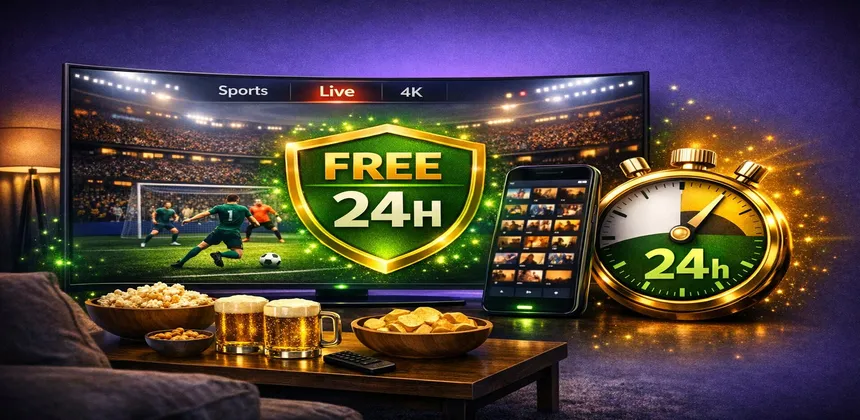
IPTV Smart HD offers a genuine 24-hour free trial with full access to every channel, every feature, and every quality tier — no credit card required, no hidden conditions. This guide explains why testing matters, how to get your trial, what to check during those 24 hours, and how to make the smoothest transition to a paid subscription if you are satisfied.
The IPTV industry has a trust problem. For every reliable provider, there are dozens of fly-by-night operations that take payments and disappear, deliver unwatchable streams, or shut down without notice. Even among legitimate providers, the quality of service can vary dramatically depending on your geographic location, internet provider, and the specific server infrastructure they use in your region.
A free trial eliminates the guesswork. Instead of relying on marketing claims and online reviews — which can be fabricated — you get to evaluate the service with your own eyes. Here is what a genuine trial period reveals that no amount of research can:
Not all IPTV trials are created equal. Be cautious of providers that require your credit card "just for verification" — this often leads to unexpected charges. Watch out for trials limited to 30 minutes or 1 hour, which is barely enough time to test anything meaningful. And be wary of trials that only give you access to a small subset of channels — if they will not let you test the full service, it usually means the full service is not worth paying for.
Getting started with your free trial takes less than five minutes. The entire process is handled through a simple conversation — no forms to fill out, no accounts to create, and absolutely no payment information required.
The fastest way to request your trial is through WhatsApp. Simply send a message saying you would like to test the service. You can also use the contact form on our contact page or send an email to [email protected]. WhatsApp is recommended because responses are typically instant, even outside regular business hours.
Within minutes of your request, our team sends you a complete set of IPTV credentials: a server URL, username, and password (Xtream Codes format), plus an M3U playlist link as an alternative. These credentials give you full, unrestricted access to the entire IPTV Smart HD catalog — the same access that paying subscribers enjoy.
If you do not already have an IPTV player installed, download one on your device. We recommend IPTV Smarters Pro for most devices — it is available on Smart TVs, Fire Stick, Android, and iOS. For Fire Stick users, TiviMate is an excellent alternative. The app is free to download and takes about two minutes to install.
Open the IPTV player, select "Add User" or "Login," and enter the Xtream Codes credentials you received. The app will load your channel list — typically 30,000+ channels organized by country and category. Your 24-hour trial clock starts from the moment the credentials are activated, so you have a full day to explore everything.
Twenty-four hours is more than enough time to thoroughly evaluate an IPTV service — if you know what to look for. Here is a comprehensive checklist of everything you should test during your trial period:
| What to Test | How to Verify | What to Expect |
|---|---|---|
| Image quality (HD/4K) | Tune to a 4K channel and check resolution in player settings | Crisp, clear picture with no visible compression artifacts |
| Stream stability | Watch a single channel for 30+ minutes without touching anything | Zero freezes or disconnections during continuous viewing |
| Channel switching speed | Flip between 10 channels rapidly using the remote | Each channel should load within 1-3 seconds |
| EPG / Program Guide | Open the TV guide and browse through multiple channels | Accurate schedules with show names, times, and descriptions |
| Channel count | Browse the full channel list by country and category | 30,000+ channels across 80+ countries as advertised |
| Sports channels | Navigate to the Sports category during a live event | Major sports broadcasters (Sky, ESPN, DAZN) all present and working |
| VOD library | Browse the Movies and Series sections | 90,000+ titles with recent releases, organized by genre |
| Device compatibility | Test on each device you plan to use regularly | Smooth playback on every device without crashes |
| Catch-up / Replay | Try to watch a program that aired earlier in the day | Catch-up available on supported channels for the past 24-72 hours |
| Customer support | Send a question via WhatsApp during the trial | Response within minutes, helpful and knowledgeable answers |
Schedule part of your trial to overlap with evening prime time — this is when IPTV servers are under the heaviest load. If the service performs well between 8 PM and 10 PM on a weekday, you can be confident it will handle regular daily viewing without issues. If a major football match is on during your trial, even better — test the sports channels while demand is at its highest.
IPTV Smart HD works on virtually every connected device. Here is a breakdown of the most popular options, the recommended app for each, and how easy setup is:
| Device | Recommended App | Setup Difficulty | Max Quality |
|---|---|---|---|
| Amazon Fire TV Stick | IPTV Smarters Pro / TiviMate | Easy (5 min) | 4K HDR |
| Samsung Smart TV | IPTV Smarters Pro / Smart IPTV | Easy (5 min) | 4K HDR |
| LG Smart TV | IPTV Smarters Pro / Smart IPTV | Easy (5 min) | 4K HDR |
| Android Phone / Tablet | IPTV Smarters Pro | Very Easy (2 min) | 1080p |
| iPhone / iPad | IPTV Smarters Pro / GSE IPTV | Very Easy (2 min) | 1080p |
| Windows PC / Mac | VLC / IPTV Smarters | Easy (5 min) | 4K |
| Nvidia Shield TV | TiviMate / IPTV Smarters Pro | Easy (5 min) | 4K HDR Dolby Vision |
| MAG Box | Built-in portal | Moderate (10 min) | 4K |
| Formuler Z11 Pro | MyTVOnline 3 | Easy (5 min) | 4K HDR |
If you are testing IPTV for the first time and do not own a dedicated device, the Amazon Fire TV Stick 4K Max is the easiest and most affordable entry point at around €70. If you already have a Samsung or LG Smart TV, you can install the app directly without any additional hardware.
Not all IPTV providers offer free trials, and those that do often impose significant limitations. Here is how the IPTV Smart HD trial experience compares to what you will find elsewhere in the market:
| Feature | IPTV Smart HD | Typical Provider A | Typical Provider B | Typical Provider C |
|---|---|---|---|---|
| Trial duration | 24 hours | No trial offered | 1 hour only | 24 hours |
| Credit card required | No | — | No | Yes (auto-charges) |
| Channel access | Full (30,000+) | — | 500 channels | Full |
| 4K quality | Yes | — | HD only | Yes |
| VOD access | Full (90,000+) | — | No VOD | Limited |
| Support during trial | 24/7 WhatsApp | — | Email only (slow) | No support |
| Activation speed | Minutes | — | Hours | Minutes |
The key differentiators are clear: IPTV Smart HD provides unrestricted access to the complete service for a full 24 hours with no financial commitment whatsoever. This is because we are confident in the quality of our service. If you experience 30,000 channels in 4K with stable servers and responsive support, we know the product speaks for itself — and the vast majority of trial users go on to choose a subscription plan.
When your 24-hour trial period ends, your access simply stops. There is no automatic billing, no sneaky subscription, and no data captured for future charges. You are completely in control of what happens next.
Choosing a subscription is straightforward. IPTV Smart HD offers three plans designed for different needs:
Visit the offers page to compare plans in detail. After purchasing, you receive new permanent credentials within minutes. Your viewing experience continues exactly where the trial left off — same channels, same quality, same app.
No problem at all. You walk away having learned exactly what the service offers, and you have not spent a cent. If specific issues arose during your trial — for example, a particular channel was not working or you experienced buffering at certain times — reach out to our support team before writing off the service. Many issues are easily resolved with a server switch or a configuration adjustment.
Even after subscribing, IPTV Smart HD offers a satisfaction guarantee. If you encounter persistent issues that our support team cannot resolve, you can request a refund within the first 7 days of your subscription. Check the refund policy page for complete details.
Yes, completely free. There is no credit card required, no hidden fees, and no automatic billing after the trial ends. You simply request a trial via WhatsApp, receive your credentials, and watch for 24 hours. When the trial expires, your access ends — nothing more.
No. IPTV Smart HD never asks for payment information during the trial process. The trial is activated based on your WhatsApp message or email request alone. This is a genuine no-strings-attached offer.
The trial lasts exactly 24 hours from the moment your credentials are activated. This gives you enough time to test during different periods of the day — morning, afternoon, and most importantly, prime-time evening hours when server demand is highest.
Yes. Your trial credentials work on any compatible device. You can install the IPTV app on your Smart TV, Fire Stick, phone, and computer, then test on each one to see which provides the best experience. The trial supports at least one simultaneous connection.
Everything. The trial includes the full IPTV Smart HD catalog: over 30,000 live TV channels from 80+ countries, 90,000+ movies and TV series on demand, full EPG (program guide), and all quality tiers including 4K Ultra HD. There are no restrictions or limitations compared to a paid subscription.
If you are satisfied with the trial, simply visit our offers page to choose your plan, or message us on WhatsApp to subscribe directly. Payment is available via PayPal, credit card, or cryptocurrency. Your new credentials are delivered within minutes, and you can start watching immediately.
A free trial is the most honest way for an IPTV provider to earn your trust. It puts the burden of proof where it belongs — on the service, not on you. With IPTV Smart HD, you get 24 hours of unrestricted access to over 30,000 channels and 90,000 on-demand titles in up to 4K quality, with no credit card and no obligation. That is enough time to test everything that matters: picture quality, server stability, channel selection, device compatibility, and customer support responsiveness.
There is genuinely nothing to lose and a world of entertainment to discover. Request your free trial today and see for yourself why thousands of viewers across Europe have chosen IPTV Smart HD as their television provider.
Full access to 30,000+ channels in 4K for 24 hours. No credit card, no commitment, no risk.
Start Your Free Trial Now