IPTV: Smart TV App vs Android Box — Which Is Better in 2026?
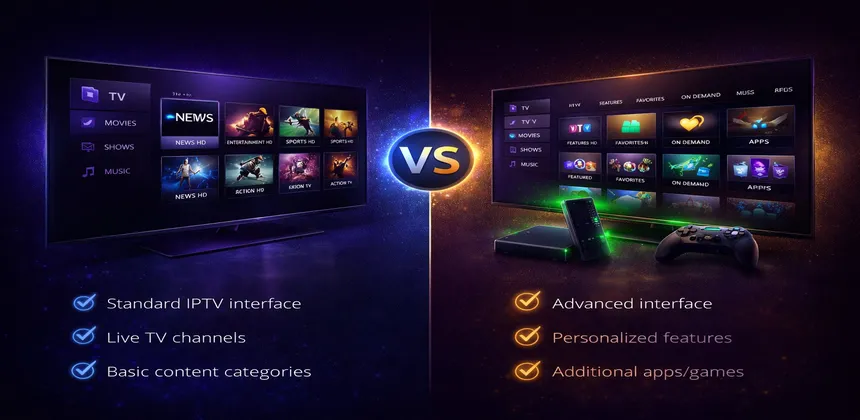
When setting up IPTV, one of the first decisions you face is how to watch. Should you install an IPTV app directly on your Smart TV, or invest in a dedicated streaming device like an Android box, Fire Stick, or Nvidia Shield? Both approaches work, but they offer very different experiences in terms of performance, features, and reliability. This guide provides an honest, detailed comparison to help you choose the right setup for your needs and budget.
We have tested dozens of Smart TV apps and external devices over the years, and the difference can be dramatic — from channel zapping speed to EPG loading times to overall stability. By the end of this article, you will know exactly which option makes sense for your situation and how to get the best possible IPTV experience in 2026.
Table of Contents
Smart TV IPTV Apps — Pros and Cons
The most obvious way to watch IPTV is to install an app directly on your Smart TV. Modern televisions from Samsung, LG, Sony, and other manufacturers all support some form of app installation, and there are several IPTV players available across these platforms. For many people, this is where the IPTV journey begins — and for casual viewers, it can be perfectly adequate.
Advantages of Using a Smart TV App
- No extra hardware needed — Your TV already has everything built in. There is nothing to buy, no cables to run, and no extra device cluttering your entertainment center.
- Simple setup — Download an app from your TV's app store, enter your IPTV credentials, and you are watching within minutes.
- One remote control — Everything is controlled with your TV remote. No juggling between remotes or dealing with HDMI-CEC compatibility issues.
- Built-in on major brands — Samsung (Tizen OS), LG (webOS), and Android TV sets from Sony, TCL, and Hisense all have app stores with IPTV options.
- Zero cost — Since you are using hardware you already own, there is no additional investment required.
Disadvantages of Using a Smart TV App
- Limited processing power — TVs are designed primarily to display pictures, not to run complex apps. Especially on models older than 2–3 years, you will notice sluggish menus, slow channel loading, and occasional crashes.
- Fewer app options — Samsung's Tizen OS and LG's webOS have significantly fewer IPTV apps compared to Android. Critically, TiviMate — widely considered the best IPTV player — is not available on Samsung or LG TVs.
- Slower interface — Navigating through channel lists, loading the EPG, and switching between categories is noticeably slower on most Smart TVs compared to dedicated devices.
- App discontinuation risk — Manufacturers stop supporting older TV models, and apps may be removed from the store or stop receiving updates. A TV you bought in 2021 may already have a limited app selection in 2026.
- Limited storage for EPG data — Smart TVs typically have minimal internal storage, which can cause issues when loading large EPG databases with thousands of channels.
Best IPTV Apps by TV Brand
- Samsung (Tizen) — IPTV Smarters, Smart IPTV
- LG (webOS) — IPTV Smarters, Smart IPTV
- Android TV (Sony, TCL, Hisense) — TiviMate, IPTV Smarters, Perfect Player
External Devices — Pros and Cons
External streaming devices plug into your TV's HDMI port and run their own operating system, essentially turning any TV — even a non-smart one — into a powerful streaming platform. For IPTV specifically, these devices offer a dramatically better experience than built-in Smart TV apps in almost every measurable way.
Advantages of External Devices
- More powerful processor — Dedicated devices have processors optimized for streaming. Channel zapping is faster, menus are smoother, and the overall experience feels more responsive.
- More app choices — Android-based devices support sideloading, giving you access to every IPTV app available — including TiviMate, which is a game-changer for IPTV enthusiasts.
- Regular updates — Devices like Fire Stick and Nvidia Shield receive frequent software updates and security patches, keeping your IPTV experience current for years.
- Portable — Move your device between TVs effortlessly. Take your Fire Stick to a hotel, a friend's house, or your holiday home and have your entire IPTV setup with you.
- Dedicated remotes with shortcuts — Most devices include remotes with voice search, app shortcut buttons, and ergonomic designs tailored for streaming.
- USB ports for recording — Devices like the Nvidia Shield and Formuler Z11 have USB ports that allow you to record live TV to an external drive.
- Ethernet connectivity — Many devices offer Ethernet ports (built-in or via adapter) for rock-solid network stability, which is critical for buffer-free 4K streaming.
Disadvantages of External Devices
- Extra cost — Prices range from €35 for a Fire Stick 4K Max to €200 for an Nvidia Shield TV Pro. It is an investment, though most users recoup value quickly through a better experience.
- Extra HDMI cable and port — You need an available HDMI port on your TV, which can be an issue if all ports are already in use.
- Another remote to manage — Unless your TV supports HDMI-CEC well, you will have a second remote on your coffee table.
- Needs a power source — Every external device requires its own power supply, adding another cable to your setup.
Popular Device Types
- Amazon Fire TV Stick 4K Max — The best-selling streaming device worldwide. Affordable, powerful, and supports all major IPTV apps. See our Fire Stick IPTV guide.
- Nvidia Shield TV Pro — The premium choice for power users. AI upscaling, Dolby Vision, Dolby Atmos, and a Tegra X1+ processor that handles anything you throw at it. See our Nvidia Shield guide.
- Formuler Z11 Pro — Purpose-built for IPTV with the MyTVOnline interface. Designed from the ground up as an IPTV device rather than a general streaming box. See our Formuler box guide.
- Generic Android TV boxes — Budget options from various manufacturers. Quality varies significantly — we recommend sticking with the established brands above for reliability.
Performance Comparison
Numbers speak louder than marketing claims. We tested each device type with the same IPTV subscription, the same internet connection (100 Mbps fiber via Ethernet), and the same channel list. Here is what we found:
| Aspect | Smart TV App | Fire Stick 4K Max | Nvidia Shield Pro | Formuler Z11 Pro |
|---|---|---|---|---|
| Processor | TV's built-in (varies) | MediaTek MT8696 | Tegra X1+ | Amlogic S905X4 |
| RAM | 1–2 GB | 2 GB | 3 GB | 4 GB |
| Channel Zapping Speed | 3–5 sec | 1–2 sec | <1 sec | <1 sec |
| 4K Playback | Often stutters | Smooth | Excellent + AI upscaling | Smooth |
| EPG Loading | Slow (30–60 sec) | Fast (5–10 sec) | Very fast (<5 sec) | Fast (5–10 sec) |
| App Availability | Limited | Good | Excellent | IPTV-focused |
| Price | Free (built-in) | ~€35–70 | ~€200 | ~€160 |
The difference in channel zapping speed alone is striking. On a Smart TV, switching channels often involves a 3–5 second wait with a loading spinner — enough to make channel surfing frustrating. On the Nvidia Shield or Formuler Z11, it feels nearly instant, similar to what you remember from traditional cable TV. The Fire Stick 4K Max sits in between, with 1–2 second switches that most users find perfectly acceptable.
EPG loading is another area where dedicated devices shine. A large EPG with 10,000+ channels can take up to a minute to load on a Smart TV, while the Shield processes the same data in under 5 seconds. For users who rely on the program guide to decide what to watch, this difference transforms the daily experience.
4K playback is where many Smart TVs truly struggle. The irony is that your TV can display 4K content beautifully — it just lacks the processing power to decode a 4K IPTV stream reliably through its built-in app. Stuttering, frame drops, and occasional freezes are common on older Smart TVs trying to handle 4K HEVC streams. External devices handle these formats effortlessly, and the Nvidia Shield takes it a step further with AI-powered upscaling that makes even 1080p content look closer to 4K.
Feature Comparison
Beyond raw performance, the feature gap between Smart TV apps and dedicated devices is substantial. Here are the key differences that matter most to IPTV users.
TiviMate — The Number One Reason to Get a Dedicated Device
TiviMate is widely regarded as the best IPTV player app available. It offers a cable TV-like interface with a beautiful EPG grid, fast channel switching, customizable channel groups, catch-up playback, and multi-view support. The problem? TiviMate is only available on Android and Fire TV. It does not run on Samsung Tizen or LG webOS. If you own a Samsung or LG TV and want to use TiviMate, an external device is your only option.
Recording
Recording live TV is only possible on devices with USB storage support. The Nvidia Shield TV Pro and Formuler Z11 Pro both have USB ports, allowing you to plug in an external hard drive and record content directly. Smart TV apps do not offer this functionality, and even the Fire Stick requires workarounds since it lacks a standard USB port. If recording live broadcasts is important to you, the Shield or Formuler are your best bets.
Multi-View
Want to watch two or more channels simultaneously? Multi-view (picture-in-picture or split-screen) is available through TiviMate on the Nvidia Shield, where the powerful Tegra X1+ processor can handle decoding multiple streams at once. This feature is not available on Smart TV apps and is impractical on less powerful devices. Sports fans who want to monitor multiple games at once consider this a must-have feature.
Catch-Up TV
Catch-up allows you to rewind and watch content that aired in the past 24–72 hours (depending on your IPTV subscription). This feature works on both Smart TV apps and external devices, but it loads and responds noticeably faster on dedicated hardware. On a Smart TV, selecting a catch-up program and waiting for it to buffer can take 10–15 seconds, while on a Shield or Fire Stick it starts almost immediately.
VPN Support
Installing and running a VPN is straightforward on Fire Stick and Nvidia Shield — simply download your VPN provider's app from the store and connect. On Smart TVs, VPN support is either extremely limited or nonexistent. Samsung and LG TVs do not natively support VPN apps, meaning you would need to configure a VPN at the router level, which is significantly more complex. If you need a VPN for privacy or to avoid ISP throttling, a dedicated device makes this much easier.
Which Should You Choose? — Decision Guide
The right choice depends on your viewing habits, budget, and how much you value a smooth IPTV experience. Here is a straightforward decision guide.
Choose a Smart TV App If:
- Your budget for extra hardware is zero
- You are a casual viewer who watches IPTV occasionally
- Your TV is recent (2022 or newer) with decent processing power
- You only need basic channel browsing without advanced features
- You own an Android TV, which already supports TiviMate and other advanced apps
Choose the Fire TV Stick 4K Max If:
- You want the best value for money — it is hard to beat at €35–70
- You want access to TiviMate for the best IPTV interface
- You need reliable 4K playback without breaking the bank
- You want a portable device you can move between TVs
- Read our complete Fire Stick IPTV setup guide to get started
Choose the Nvidia Shield TV Pro If:
- You are a power user who wants the absolute best IPTV experience
- You want recording functionality with USB external storage
- Multi-view (watching multiple channels simultaneously) is important to you
- You appreciate AI upscaling that improves picture quality on all content
- You have the budget and want a device that will last 5+ years
- Check our detailed Nvidia Shield IPTV guide for setup instructions
Choose the Formuler Z11 Pro If:
- You want a device built specifically for IPTV from the ground up
- You prefer the MyTVOnline interface, which is designed exclusively for IPTV viewing
- You want 4 GB of RAM for lightning-fast EPG loading and channel management
- Learn more in our Formuler box IPTV guide
Choose Apple TV 4K If:
- You are already invested in the Apple ecosystem with iPhones, iPads, and Macs
- You want a premium build quality and the polished tvOS interface
- You are willing to use IPTV Smarters or iPlayTV instead of TiviMate
- See our step-by-step Apple TV IPTV setup guide
Our Recommendation for 2026
For Most Users: Fire TV Stick 4K Max
After extensive testing, we recommend the Fire TV Stick 4K Max as the best overall choice for the majority of IPTV viewers. At €35–70, it is the most cost-effective way to dramatically improve your IPTV experience compared to a Smart TV app. Install TiviMate, connect via an Ethernet adapter (around €10–15), and you have a setup that genuinely rivals devices costing three times more.
The Fire Stick delivers smooth 4K playback, fast channel zapping (1–2 seconds), a wide selection of IPTV apps, and regular software updates from Amazon. It is portable, easy to set up, and has been proven reliable by millions of users worldwide. For the price, nothing else comes close to the value it offers for IPTV.
For Power Users: Nvidia Shield TV Pro
If you want the absolute best and budget is not the primary concern, the Nvidia Shield TV Pro is unmatched. Nothing beats it for IPTV — the AI upscaling makes every channel look better, the Tegra X1+ processor handles multi-view and 4K streams without breaking a sweat, USB ports enable recording to external storage, and Nvidia's track record of long-term software support means your investment is protected for years.
The Shield is also an excellent gaming device (with GeForce NOW support), a capable Plex media server, and a Chromecast built-in device. It is not just an IPTV box — it is the most versatile streaming device on the market.
Frequently Asked Questions
Is a Smart TV good enough for IPTV?
Yes, a Smart TV can handle basic IPTV viewing, especially if it is a recent model (2022 or newer) with an Android TV operating system. However, dedicated devices offer noticeably better performance in terms of channel zapping speed, EPG loading, 4K stability, and app selection. If you watch IPTV casually for an hour or two a day, a Smart TV app may be fine. If IPTV is your primary TV source, a dedicated device is a worthwhile upgrade.
What is the cheapest way to improve my IPTV setup?
The Amazon Fire TV Stick 4K Max is the most affordable upgrade at around €35–70. It supports TiviMate, handles 4K content smoothly, and receives regular updates. Pair it with a €10–15 Ethernet adapter for the most stable connection, and you have a complete high-performance IPTV setup for under €85. That small investment will transform your viewing experience compared to most Smart TV apps.
Can I use IPTV on a non-Smart TV?
Absolutely. Any television with an HDMI port can be used for IPTV by connecting an external device like a Fire Stick, Nvidia Shield, or Android box. The external device handles all the processing and app management — your TV simply displays the picture. In fact, some users prefer this approach because the TV does not need to run any apps, focusing entirely on what it does best: displaying a great picture.
Does IPTV Smart HD work on all devices?
Yes, IPTV Smart HD is compatible with all major platforms including Samsung Smart TVs, LG Smart TVs, Android TV, Amazon Fire Stick, Nvidia Shield, Apple TV, Formuler boxes, MAG devices, smartphones, tablets, and computers. Your subscription works across all these devices, and you can use it on multiple screens simultaneously depending on your plan.
Which device is best for 4K IPTV?
For the best 4K quality, the Nvidia Shield TV Pro is the top choice thanks to its AI upscaling technology that enhances every stream, combined with a powerful Tegra X1+ processor that handles 4K HEVC and VP9 codecs without any issues. For the best value in 4K IPTV, the Fire TV Stick 4K Max delivers smooth 4K playback at a fraction of the cost. Both are significantly better than relying on a Smart TV's built-in app for 4K content.
Conclusion
The choice between a Smart TV app and a dedicated streaming device for IPTV comes down to how much you value performance, features, and the overall viewing experience. Smart TV apps are free and convenient, making them a reasonable starting point for casual viewers. But if IPTV is a regular part of your entertainment, the jump to a dedicated device — even an affordable Fire Stick 4K Max — is one of the most impactful upgrades you can make.
Faster channel switching, smoother 4K playback, access to TiviMate, VPN support, and years of software updates are all compelling reasons to invest in external hardware. Whether you choose the budget-friendly Fire Stick, the powerhouse Nvidia Shield, or the IPTV-focused Formuler Z11, you will wonder why you did not make the switch sooner.
Ready to Upgrade Your IPTV Experience?
Try IPTV SmartHD free — 30,000+ channels in 4K quality, compatible with every device.
Free TrialRelated Articles
- IPTV on Amazon Fire Stick — Complete Guide
- IPTV on Nvidia Shield — Setup and Optimization
- How to Set Up IPTV on Samsung Smart TV
- How to Set Up IPTV on Apple TV 4K